Last updated
Quick start
Before you start
Install and activate Core Plus Links, then run the first index — see Installation. The sidebar cannot suggest targets until the index has finished.
Open a post
- Open an existing published post or page in the block editor.
- Open the Core Plus Links sidebar (PluginSidebar in the editor).
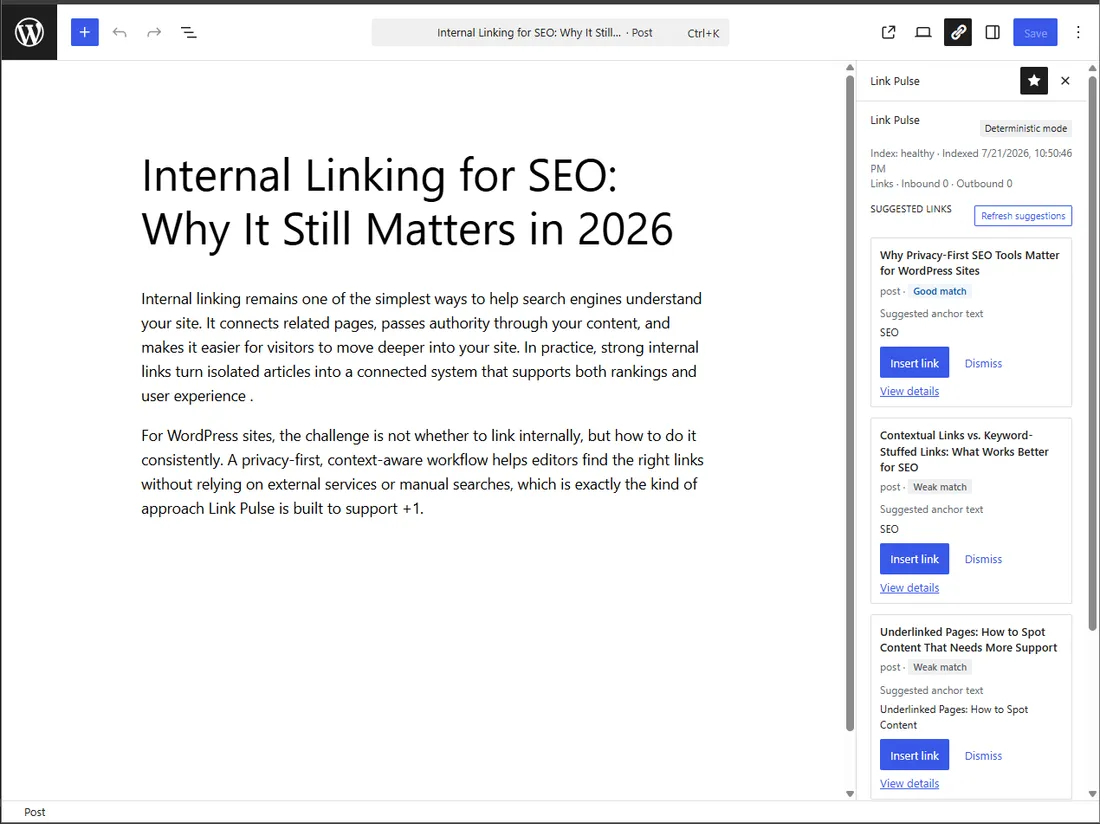
Read a suggestion
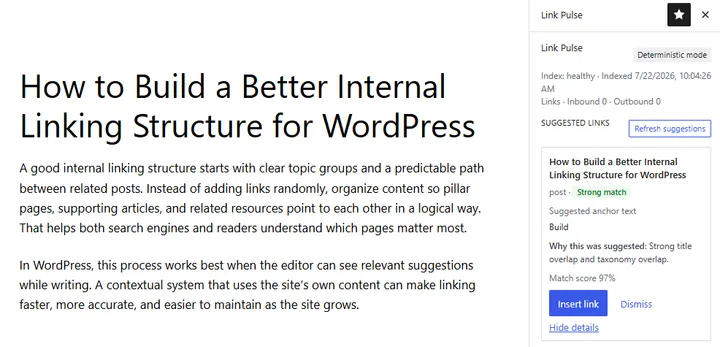
Each suggestion shows a match score and a match strength badge (Strong, Good, Fair, or Weak).
Expand a suggestion (View details) to see which signals contributed. That breakdown is the same model documented in How ranking works.
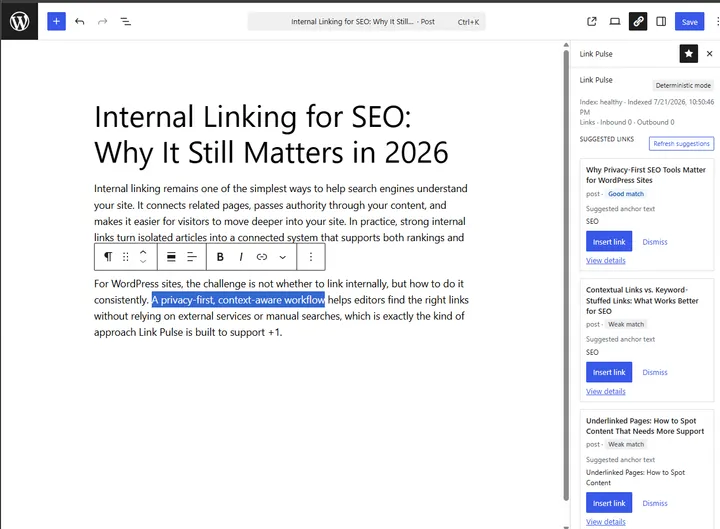
Insert a link
- Choose a suggestion.
- Confirm or edit the anchor text (pre-filled and editable before insert).
- Insert the link into the post.
Dismiss
Dismiss removes a suggestion for that post and persists. Dismissed targets do not reappear on the next open of the same post after a refresh of the list.
What to change next
Begin by controlling what gets indexed. Open the context bank to exclude utility pages and review suggested exclusions. Free indexes posts and pages only; custom post types and custom fields are Upcoming in Pro.
Then use Auto-linking to define keyword rules you review before anything is written, Change history to undo inserts, and Link Health to scan for internal links to unpublished, trashed, or missing pages.